Adapt writing for the person
Turn professional reports into clearer, more accessible language. Adapt writing for children, parents, people with additional communication needs, or neurodivergent people.
 SafeguardRedact
Contact us
Safeguard Redact
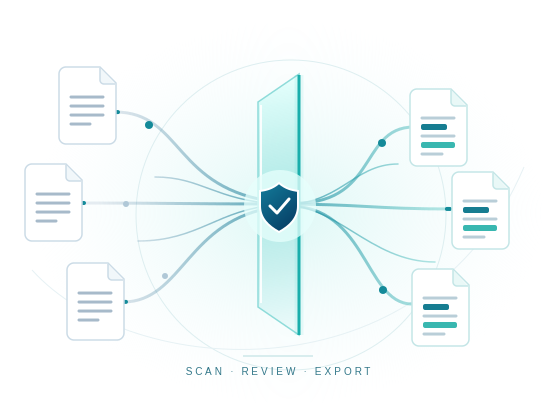
Safeguard Redact scans long documents for personal and sensitive information, replaces it with consistent pseudonyms, and lets you export a safer version for use with AI and digital tools.
Windows release in preparation · macOS coming soon · By Safeguard Insights
Why Safeguard Redact
Safeguard Redact prepares sensitive case documents so you can use them with AI without sharing identifiable information. Once you have checked the pseudonymised version, you can use AI to review, improve or adapt your writing in ways that support better practice.
Turn professional reports into clearer, more accessible language. Adapt writing for children, parents, people with additional communication needs, or neurodivergent people.
Ask AI to check an assessment or report for clarity, gaps, repetition, inconsistencies or areas that need stronger analysis.
Simplify complex language, improve structure and tone, make writing more person-centred, or produce a version that is easier for a child or family to understand.
Use AI to tighten lengthy sections, improve grammar, remove repetition, restructure information or help you say something more clearly.
Turn existing material into summaries, child-friendly explanations, meeting preparation, reflective prompts or other useful versions without starting again.
Who it’s for
What this looks like in practice
Your original documents are processed locally on your computer. You review the suggested changes before exporting, and decide where to save or share the resulting copy.
Always check the final document before sharing it. Pseudonymisation reduces exposure of identifying details; it does not remove your responsibility to handle sensitive information carefully.
You stay in control
Safeguard Redact
Downloads are temporarily unavailable while we prepare the Windows release.
Coming soon. Apple testing has not started yet.
Coming soon. Apple testing has not started yet.
User agreement
Before downloading Safeguard Redact, please confirm that you understand and accept the following:
By continuing, you confirm that you have read and agree to the Safeguard Redact Terms of Use and have read the Data Protection & Privacy Information.
Windows installer not available yet.
A verified Apple silicon installer is not available yet.
A verified Intel Mac installer is not available yet.
On a Mac, open Apple menu → About This Mac: choose Apple silicon for an Apple M-series chip, or Intel Mac for an Intel processor.
Pricing & licensing
£9.99 per month or £100 per year. Annual billing saves £19.88 compared with 12 monthly payments.
Full pricing & licensing information · Redact support
Checking subscription availability…
Monthly
£9.99 per month. Review the total and terms before paying.
Annual
£100 per year, approximately £8.33 a month when billed annually. Review the total and terms before paying.
Sign in to view your account and Redact licence. Account access is available while online checkout is being prepared.
Your account handles billing and licence checks at account.safeguardinsights.co.uk. Your documents are processed on your computer and are not sent to the billing service.
Downloads are temporarily unavailable while we prepare the Windows release.
Back to Redact overviewSafeguard Redact Support
Email [email protected] or use our contact form. Replies are sent from our Safeguard Insights email address (@safeguardinsights.co.uk).
Please do not email real case documents, mapping files, activation keys, passwords or screenshots containing personal information. Use a small synthetic example if you need help reproducing an issue.
Ensure your computer is connected to the internet for initial activation and model download, and enter the email address associated with your licence. Include your Redact version, Windows or macOS, and the exact error message when contacting us.
Security & Privacy
In the normal desktop workflow, Safeguard Redact processes imported or pasted documents locally on your computer. Document text and replacement mappings are not sent to Safeguard Insights or a cloud AI model.
Get in touch
Ask about licensing, deployment for your organisation, or desktop support. Safeguard Redact is developed by Safeguard Insights Ltd.
Send an enquiry using the form, or email [email protected] (support: [email protected]). We reply from safeguardinsights.co.uk.
Please do not include personal or sensitive case information.